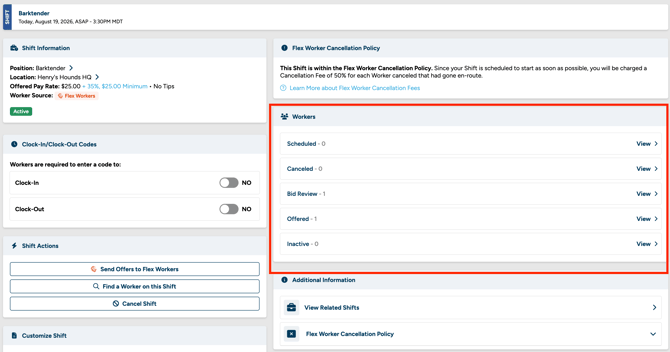
When workers submit bids on your Shift, you can narrow down your applicant list from the Bid Review page in Shift Management to find the best fit for the job.
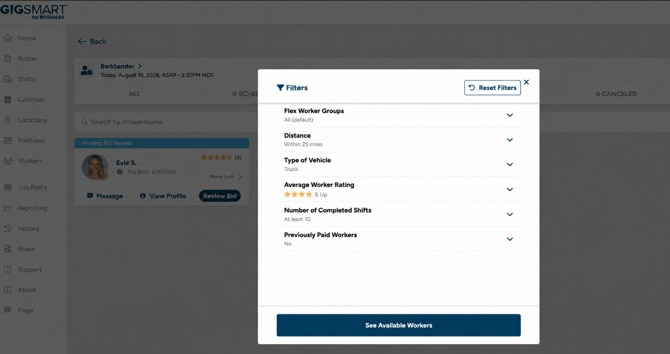
You can filter applicants by:
- Flex Worker Groups – narrow your applicant list to workers who belong to a specific Worker Group you've created (defaults to showing all groups).
- Distance – find workers located within a certain distance of your Shift address.
- Vehicle Type – find workers who have the type of vehicle needed to complete the Shift.
- Average Worker Rating – find workers who meet a minimum star rating.
- Number of Completed Shifts – find workers who have completed a certain number of Shifts.
- Previously-Paid Workers – find workers you've paid on a Shift before.
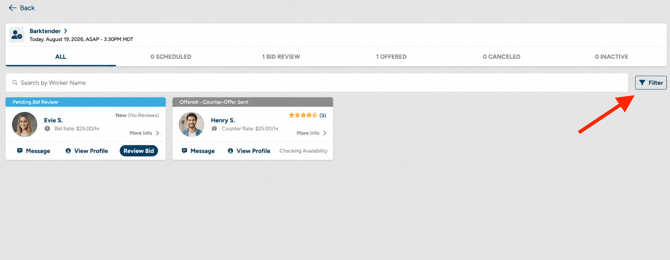
You can apply one or more of these filters at the same time to quickly narrow down your applicant list to the workers who best match what your Shift needs.