Existing Users
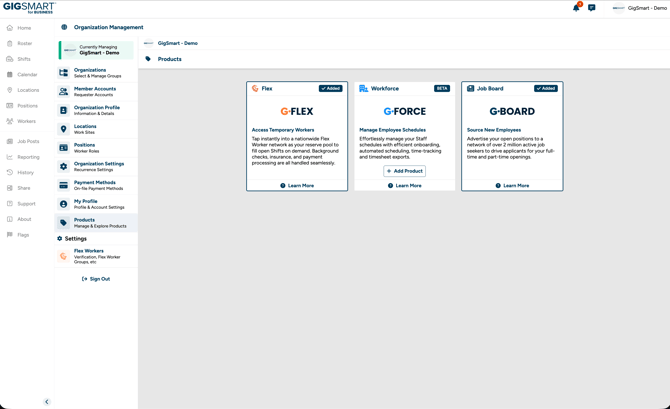
Step 1 - Go to Organization Management and open the Products page.
Step 2 - Select any additional products you want to add to your organization. You can choose any combination of G-Flex, G-Force, and G-Board.
Keep in mind that once a product is added, it cannot be removed.
New Users (Onboarding)
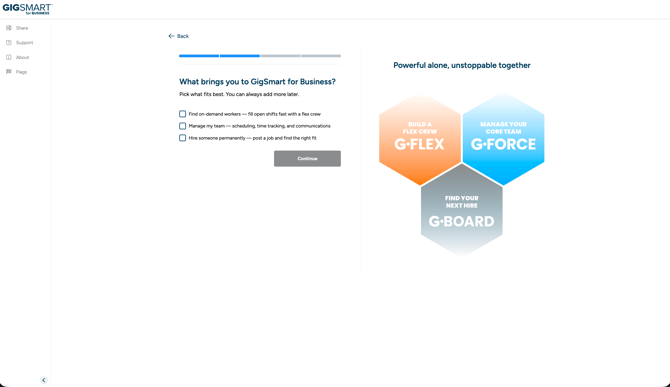
Step 1 - During onboarding, you'll see a Product Selection step. This is where you choose which GigSmart products to add to your organization: G-Flex, G-Force, or G-Board.
Step 2 - Review each product, then select the products you want. You can choose any combination of the three.
Step 3 - Complete the remaining onboarding steps. Your organization's home screen, settings, and features will be tailored to the products you selected.
What's Next?
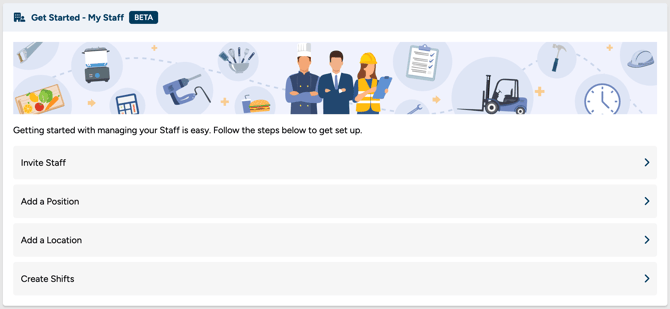
Once your products are selected, follow the Get Started prompts on your home screen to finish setup. Your key next steps for G-Force are:
- [How do I invite Staff to my Organization?] — Add your existing workforce to the platform.
- [How do I create a staff position?] — Set up roles so you can start scheduling shifts.