-
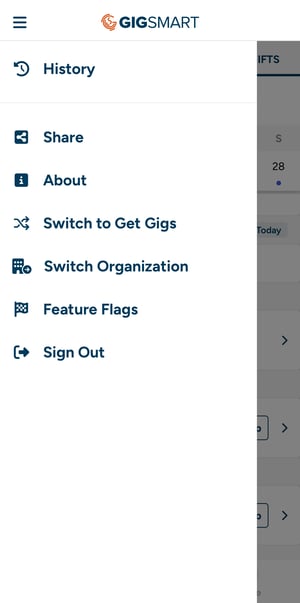
Tap the menu icon (☰) in the top-left corner of the app.
-
Select "Switch to Get Gigs" from the menu to browse open gig opportunities.
-
If you're in Get Gigs mode, look for a similar "Switch to Workplace" option to return.
- Don't have a Get Gigs account yet? You'll see a prompt on your home screen or profile to create one in just a couple steps.
-
-
If you belong to multiple Workplace Organizations, use "Switch Organization" from the menu to choose which one to view.
Your notifications and messages are shared across both modes, so you won't miss anything when you switch.