
Step 1 - Switch to Workplace mode and select the Organization you want to view.
Step 2 - Tap the Schedule tab.
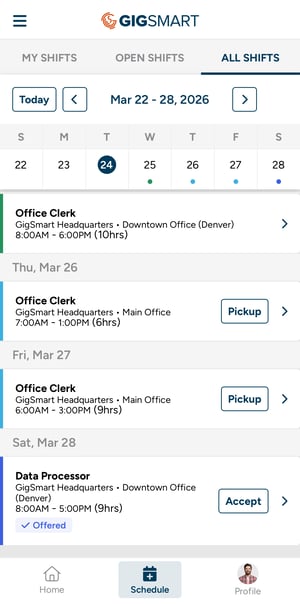
Step 3 - Browse Shifts using the three categories:
- My Shifts — Shifts you're scheduled or have an outstanding offer for.
- Open Shifts — Shifts available for you to pick up based on your assigned Positions and Locations.
- All Shifts — A full view of all Shifts (yours and open).
You can navigate by week for any upcoming Shifts within each category.
Note: If you have a scheduling conflict, such as a Get Gigs Shift that overlaps with an open Workplace Shift, or Shifts across multiple Workplace Organizations, the conflicting Shift will still appear in your schedule with a note letting you know about the conflict.