
The Worker Wallet is currently available for 1099 shift earnings only — not W2.
How it works
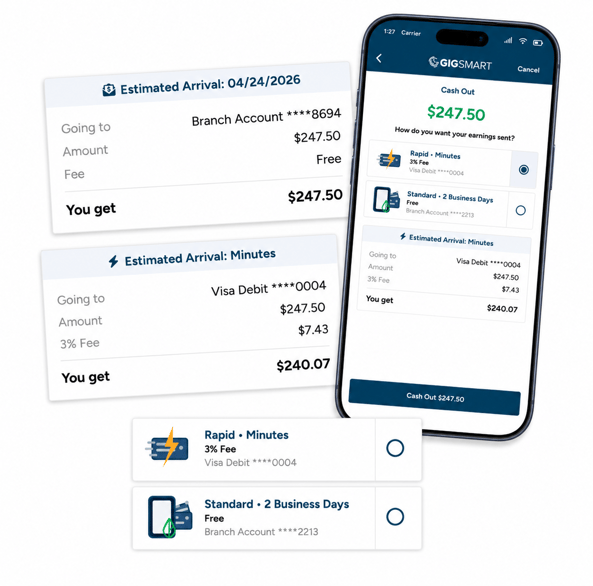
Once your Worker Wallet balance is $1 or more, tap Cash Out to send it to your account. Cash outs move your full balance — you can't cash out a partial amount, but any new earnings that come in afterward start building toward your next cash out.
You'll choose a payout speed:
- Standard – Free. Arrives in your Branch account (Branch wallet) within 2 business days.
- Direct – 3% fee, $1 minimum on cash outs under $33.33. Arrives on your debit card within minutes.
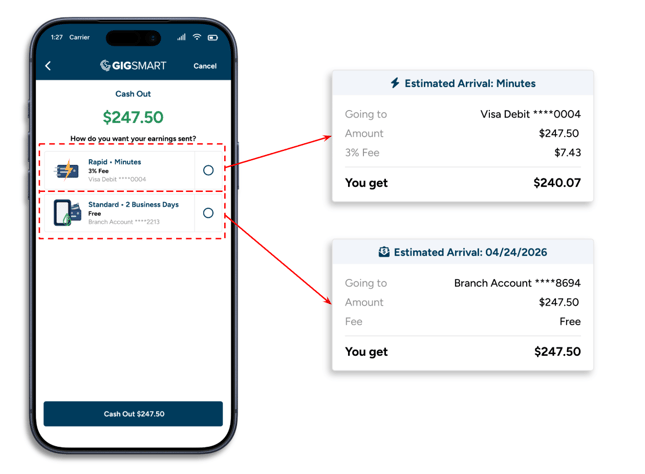
Once it's sent, you'll see it listed under Earnings & Payouts in your Worker Wallet, moving from In Transit to Paid. Rapid cash outs are usually marked Paid right away.
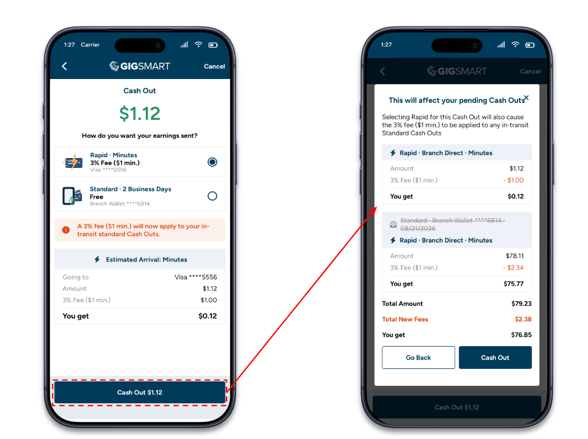
Switching to Rapid while a Standard cash out is on the way:
*Starting a Rapid Cash Out while a Standard one is still in transit redirects both amounts to your debit card, and the 3% fee applies to the combined total.*
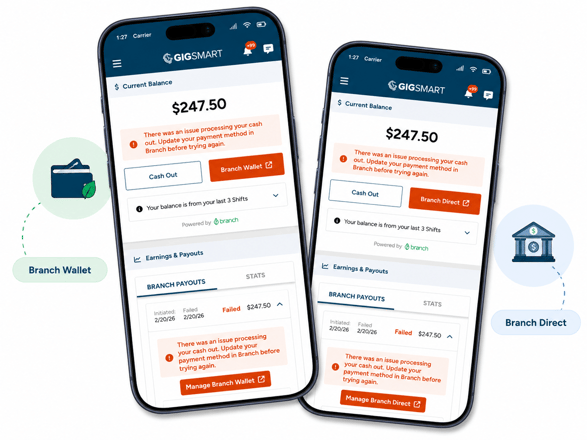
If a cash out doesn't go through:
You'll see a message letting you know there's an issue with your payout method. Head to the Branch app to update it, then come back and try again. If your payout method has been deactivated, you'll need to reactivate it in Branch first. After a few failed tries, you may be asked to wait before trying again.
Any past payout that failed is already back in your Worker Wallet balance — just cash it out again whenever you're ready.
Need help with your Branch account?
For questions specific to your Branch account or payout methods, reach out to Branch directly:
- In-app chat (available in the Branch app under the Account tab)
- Email: help@branchapp.com
- Phone (M-F, 9am-5pm CT): 956-625-9896
Additional Resources: